Everything you need to manage projects from start to finish
Track tasks, manage bugs, collaborate on code, and visualize progress—all from one organized workspace

Stay on top of every project with clear, visual tracking
Backlog’s intuitive project views give your team full visibility—from big-picture progress to task-level details

Dashboard
Get a real-time overview of all your projects, tasks, and updates in one place. The dashboard makes it easy for team leads and stakeholders to monitor progress without jumping into every detail.

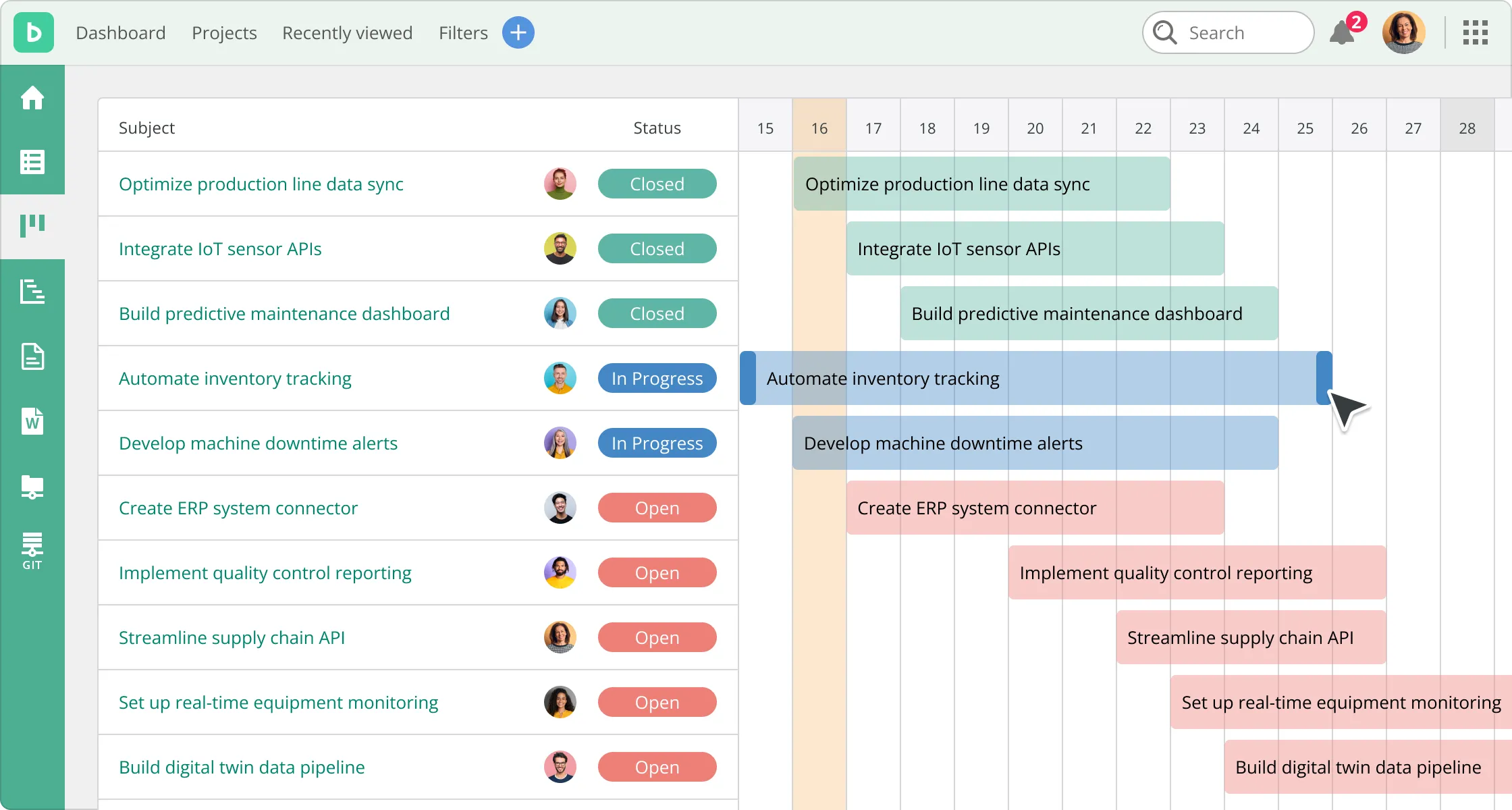
Gantt chart
Plan tasks, map dependencies, and track deadlines with ease. Gantt charts help your team stay on schedule and adapt quickly when timelines shift.

Kanban board
Easily manage tasks using a drag-and-drop Kanban board. Whether you're tracking dev sprints or cross-functional to-dos, Kanban view helps your team stay focused and flexible.

Burndown charts
Visualize how much work is left in a sprint and whether your team is on pace to finish. Burndown charts make it easy to spot blockers and adjust quickly.
Built for growing teams, flexible for every workflow
Backlog helps you manage tasks, bugs, and code with tools that adapt to your team’s needs—so you can stay organized without added complexity
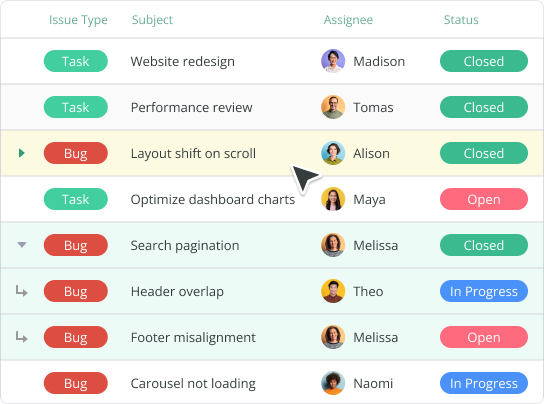

Task hierarchy
Break complex projects into manageable pieces. Organize work, assign deadlines, and track progress from start to finish with parent tasks, subtasks, milestones, and versions.
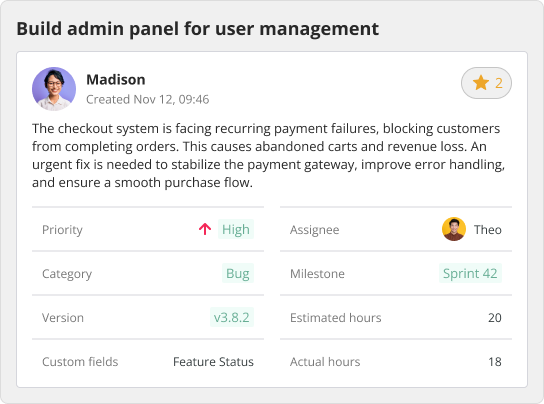

Custom fields
Capture the data that matters most. Add custom fields to your tasks—like priority level, device type, or customer ID—to tailor Backlog to your team’s workflow.
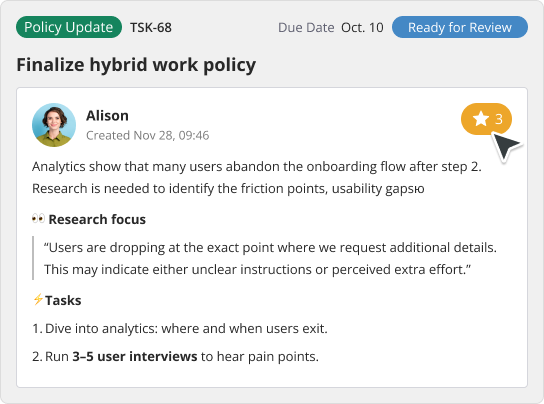

Templates
Save time and ensure consistency with reusable templates for common projects or tasks—such as bug reports, QA checklists, and onboarding workflows.
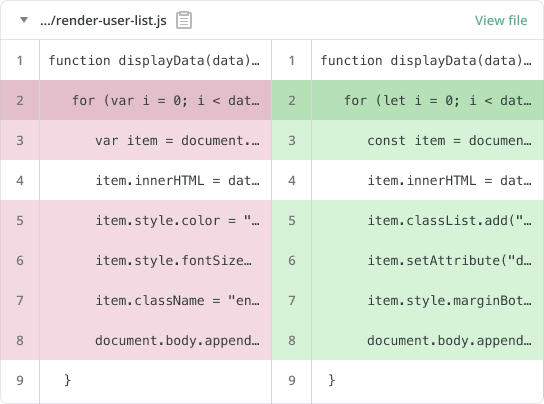

Code management
Keep your code and tasks in sync. With built-in Git and SVN repositories, developers can link commits, branches, and pull requests directly to issues—so collaboration stays tight and transparent.
Keep files, notes, and documentation where work happens
Centralize your team’s project knowledge in Backlog—from specs and files to meeting notes—ensuring nothing gets lost and everyone stays aligned
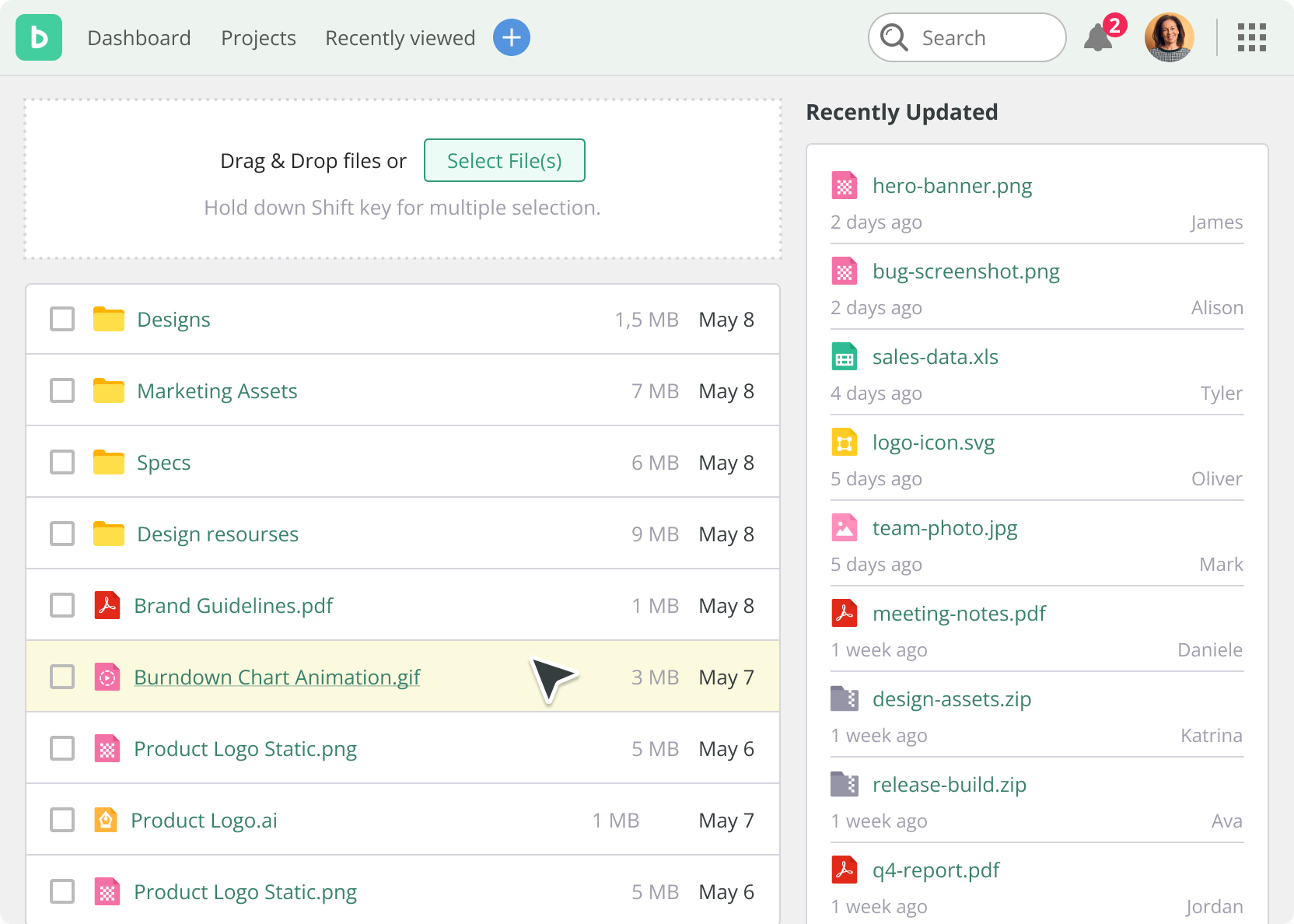
Documents
Upload images, spreadsheets, and docs directly to tasks and comments. Collaborate in real time, link key resources to the work at hand, and reduce context-switching across tools.
File management
Attach files to issues, add contextual comments, and store everything in shared project folders—keeping all assets organized, accessible, and ready for collaboration both inside and outside your team.
Documents
Upload images, spreadsheets, and docs directly to tasks and comments. Collaborate in real time, link key resources to the work at hand, and reduce context-switching across tools.
File management
Attach files to issues, add contextual comments, and store everything in shared project folders—keeping all assets organized, accessible, and ready for collaboration both inside and outside your team.
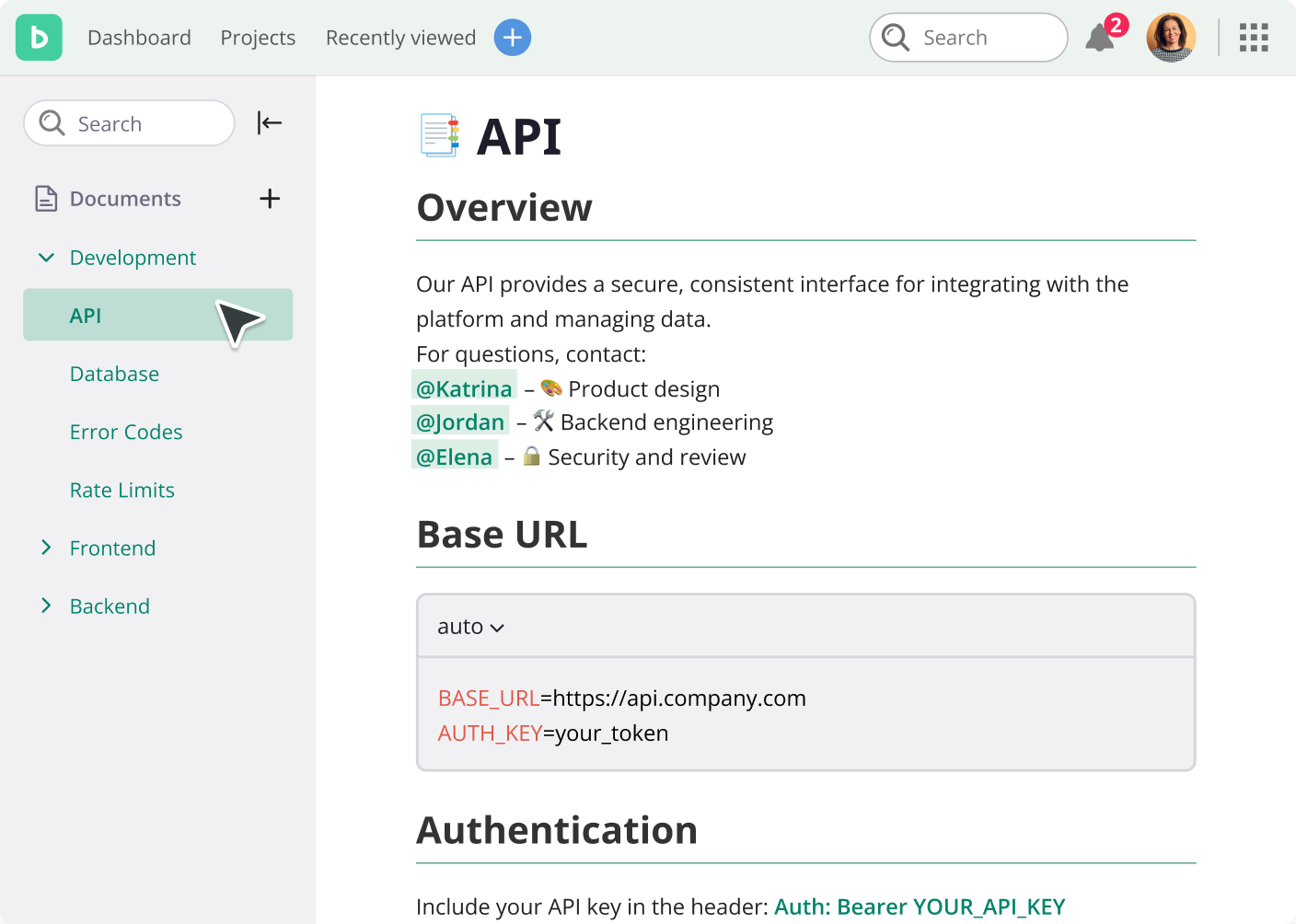
Seamlessly integrate with your team’s favorite tools
Backlog connects with Slack, email, Microsoft 365, Google Workspace, and more to keep your tasks and files in sync.


Switching from Jira or Redmine?
Backlog makes it easy to bring your data with you. Step-by-step import guides make transitioning from Jira or Redmine simple.Learn more
Want more flexibility?
Use our open API to build custom integrations that fit your workflow.Learn moreManage projects, code, and collaboration—your way
Backlog brings your entire workflow into one intuitive platform, so every team can stay aligned and move faster, together.