


New: Try Backlog’s new design for a limited time
We’ve been working on a new look for Backlog, and now you can try it yourself. From October 14 to mid-December 2026, you can switch to the new design whenever you like and switch back at any time.
Before we finalize anything, we want to hear what you think. In this post, we’ll explain what’s changing, why we’re doing a limited-time preview, and how to give it a try.
What’s new
You can now preview Backlog’s new design for a limited time. Turn on Try the new design to start using Backlog with the new design.
Only the look is changing. No features have been added or removed, and your data and settings stay exactly as they are. Some buttons and menus are in new places, but everything works the way it always has.
Preview period
Wednesday, October 14 – mid-December 2026 (subject to change)
Why we’re doing this
We’re redesigning Backlog to make it even easier to use. But we also know that for many teams, especially those who’ve used Backlog for years, the interface is closely tied to how they work every day. A change like this isn’t something our team should decide on our own.
That’s why we’re shaping the new design around your feedback. It’ll be available for about two months, and after the preview ends, Backlog will generally return to the current design. We’ll use your feedback to improve the new design before deciding how and when to bring it back.
What’s New in the Design
Here’s a closer look at the new design and the thinking behind it. We introduce a bold and playful visual language, while also improving readability and accessibility.
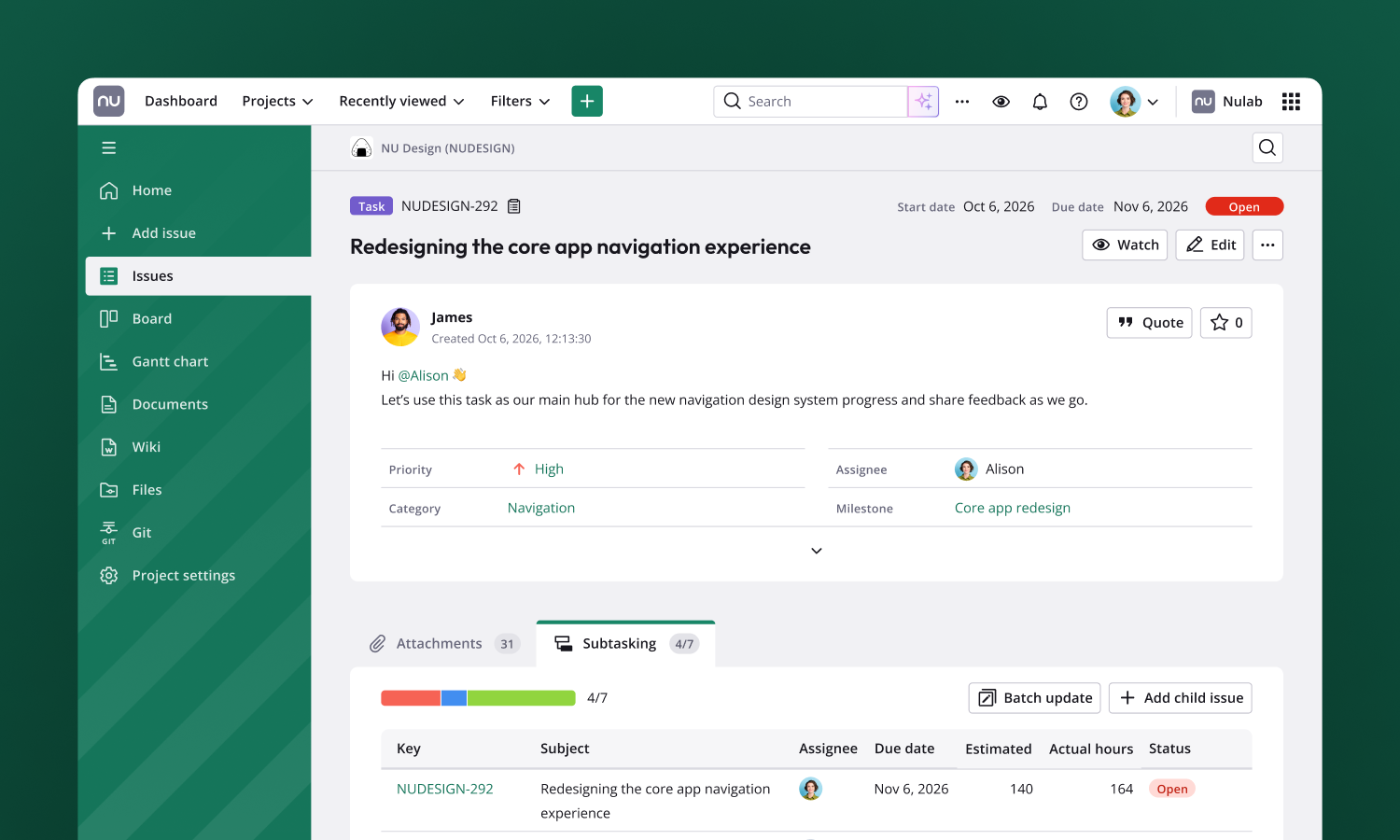
Friendly at first glance
Rounded type in page titles, livelier colors and refreshed icons in selected places bring a little more of Nulab’s friendly personality into your everyday work.
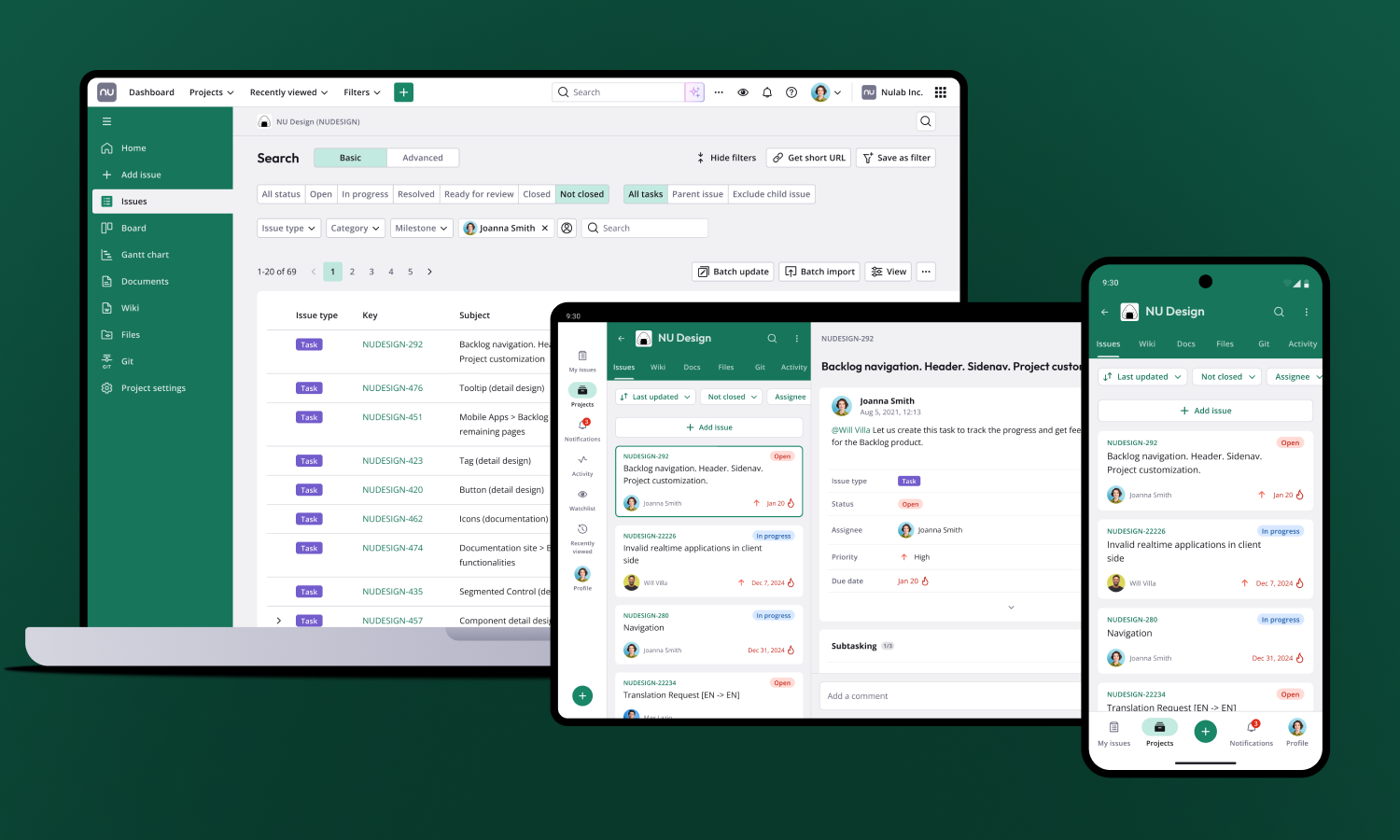
A consistent look across devices
The new design uses the same visual language as the redesigned Backlog mobile app. Whether you’re at your desk or on the go, switching between devices feels natural.
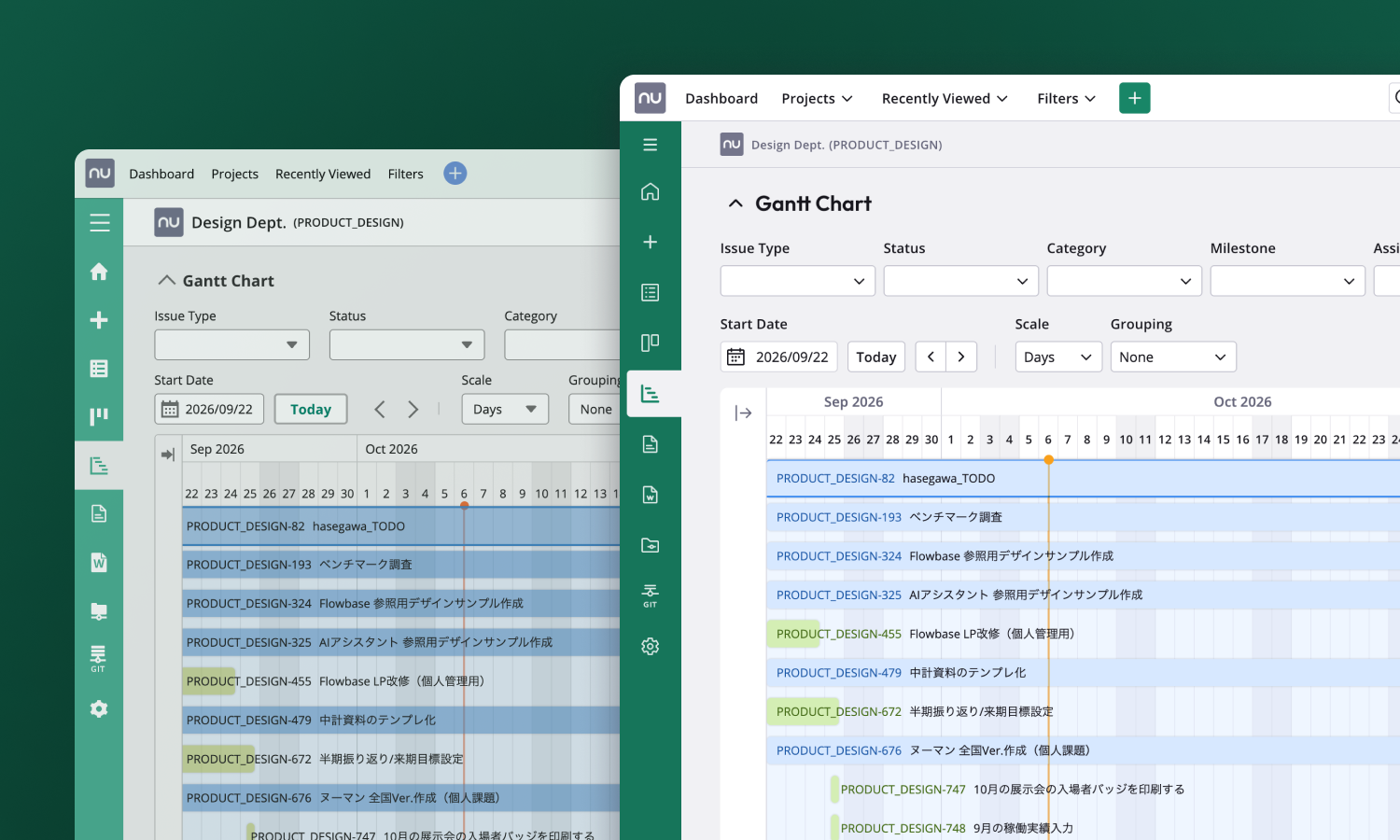
Everything where you expect it
We kept the layout and features you already know, so you can turn on the new design and get straight to work.
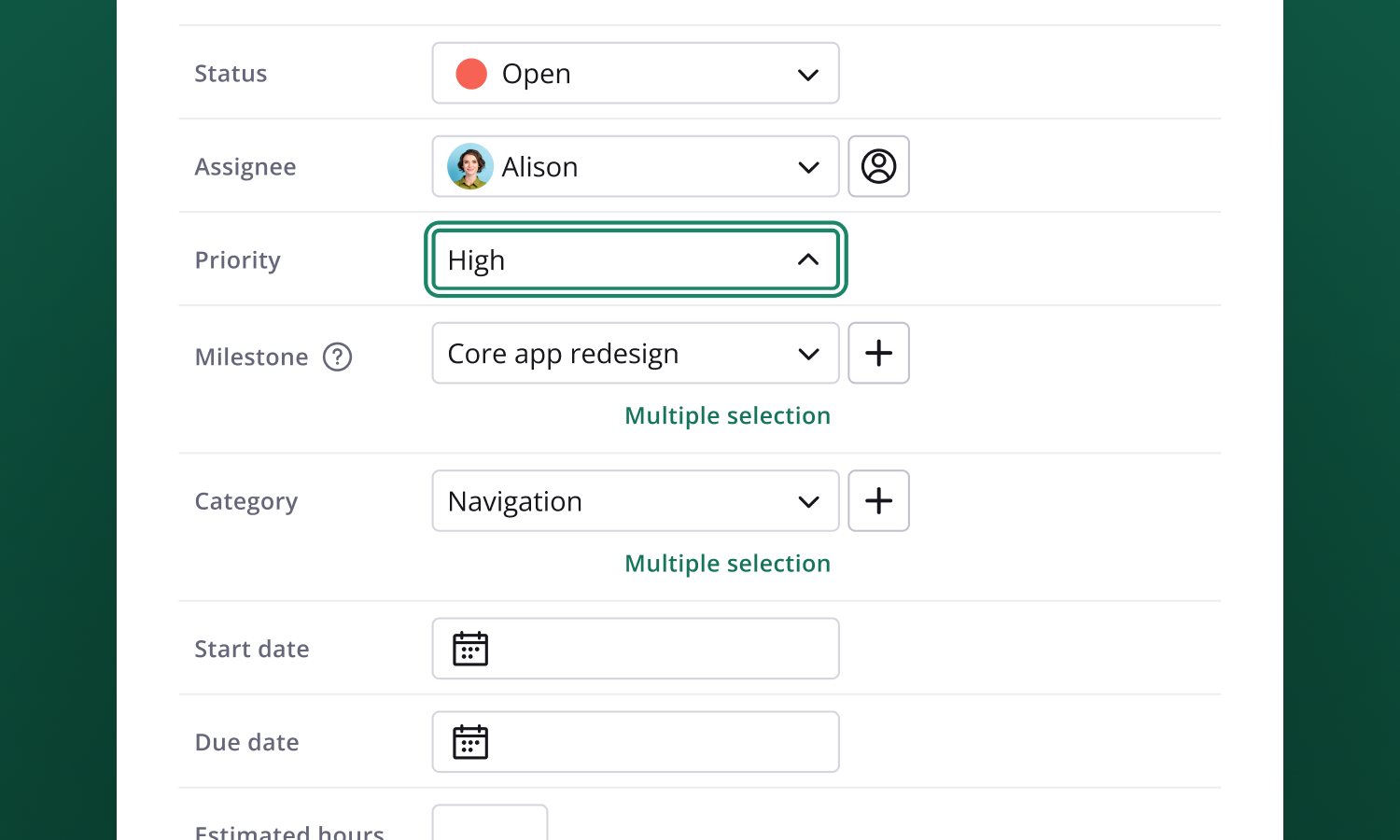
Easier to read, easier to use
Using the Web Content Accessibility Guidelines (WCAG) as a reference, we aimed for an interface that more people can use comfortably. We improved the color contrast and increased the font size so text is easier to read. We also added a strong focus ring that clearly shows where you are when navigating with the keyboard.
How to get started
Trying the new design takes just a few clicks:
- Click your profile icon in the global navigation.
- Turn on Try the new design in the menu.
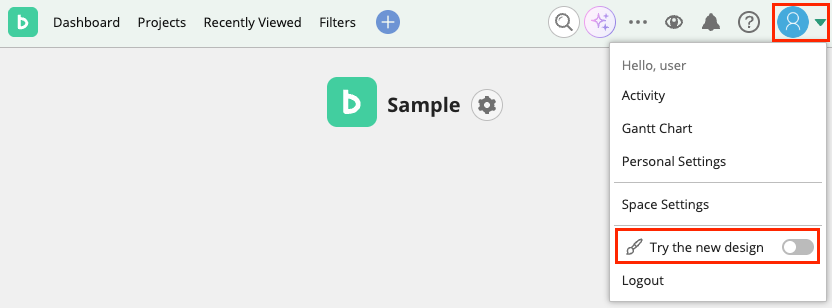
- Review the confirmation screen, check the box, and click Use it.
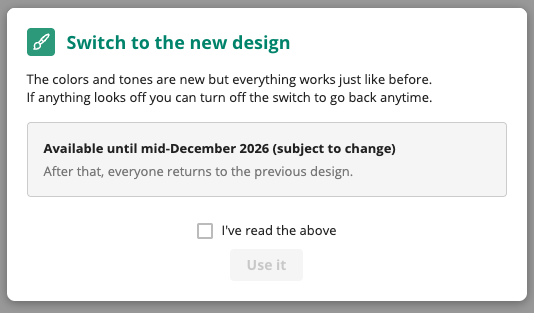
To switch back, follow the same steps and turn off Try the new design. When you do, you’ll see a short survey asking why. Answering it is optional.
Share your feedback
If you try the new design, we’d love to hear from you in our survey. Whether it feels easier to use or you prefer the current design, every opinion helps. Your feedback is most useful after you’ve used the new design for a week or two.
The more specific you can be, the better. For example, tell us which screen you were on and what you were doing when you noticed something. Our development team reads every response.
Things to keep in mind
Please note the following before you start:
- The new design is available on all plans.
- The setting applies to your account only. Other members of your projects won’t see any change.
- After the preview ends, Backlog will generally return to the current design. During the preview, we recommend testing it with a small group rather than updating internal guides or rolling it out across your organization.
- External tools or browser extensions that depend on the page structure may not work correctly with the new design. If this happens, switching back to the current design will fix it.
Try the new design today
The new design is our next step toward a Backlog that’s easier and more enjoyable to use, and your feedback will help shape where it goes from here. Give it a try and tell us what you honestly think.
We’ll keep making improvements so your work runs smoother and feels more fun.
If you have any questions, feel free to contact us.
Happy collaborating!