As technology continues to improve, AI project management tools are quickly becoming must-haves for busy project managers, cross-functional teams, or fast-growing companies that need to do more with less.
From streamlining repetitive tasks to flagging potential risks before they snowball, AI-assisted tools let teams focus on the work that really matters instead of getting bogged down in busywork.
But which one is the best for your team? With so many promising to revolutionize project management, it can be hard to know which tools are actually worth trying and which will best cater to your team’s specific needs.
That’s why we’re walking you through 10 of the top AI tools for project management, highlighting the unique benefits of each one. Let’s dive in.
What are AI project management tools?
AI project management tools help you run projects as if you had a team member dedicated to keeping everything on track. Unlike traditional tools that rely on manual updates and rigid workflows, AI-powered platforms learn from your data and suggest better ways to manage tasks, timelines, and resources.
These tools don’t just automate simple things; they use machine learning, natural language processing, and predictive analytics to:
- Assign and prioritize tasks automatically based on who’s available, skills, and deadlines
- Predict timelines, resource needs, and potential roadblocks before they become problems
- Summarize meeting notes, generate reports, or even draft project briefs for you
- Spot early signs of burnout, misalignment, or project risk
Instead of just telling you a project is behind schedule, an AI tool might alert you early, suggest adjustments, and help balance workloads before delays happen. Interested in learning more? Let’s dive into the top AI project management tools around today.
1. ClickUp
Best for: High-budget teams needing deep task customization
ClickUp is a project management platform known for its highly customizable task and workflow management. Teams can organize, automate, and display work in ways that suit their processes with real-time collaboration features and a wide range of project, task, and workflow tools.
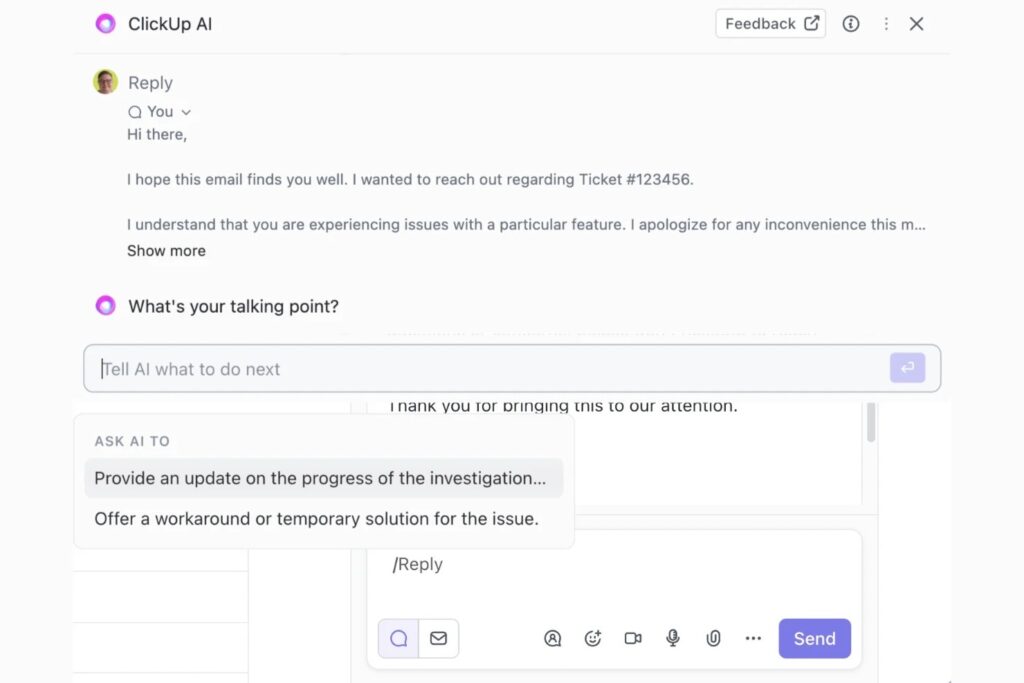
ClickUp Brain, the platform’s AI tool, can help teams analyze trends, connect tasks, and automate subtasks or scheduling. It can also draft replies, generate tables, create templates, and turn voice or text into searchable transcriptions, making it easier to access and manage information across projects.
Some of the platform’s downsides are that some of the advanced tools have a steep learning curve, and ClickUp Brain comes at a premium price tag. The mobile apps also don’t include all views, so you might feel a little limited on the go.
Key features
- AI image generator: create contextual visuals to illustrate concepts, brainstorm ideas, and enhance documentation.
- Workflow management: automate subtasks and scheduling, draft replies, generate tables, create templates, build agendas, track progress, assign tasks intelligently, and prioritize high-impact work.
- Automatic transcriptions: Turn voice or text into automatic transcriptions and ask ClickUp Brain questions about the content in clips
Pricing
- Free plan includes a trial of AI
- Brain AI plan is $14 per user/per month
- Everything AI plan is $33 per user/per month
- Users can also buy AI Super Credits: $10 for 10K credits
2. Wrike
Best for: Agile teams that need strong security and detailed reporting
Wrike is a robust project management platform with AI built directly into workflows to help teams reduce manual work and stay on top of projects from start to finish.
Its AI can flag potential errors, automatically translate comments for global teams, and streamline workflow automation without any coding, making it easier to keep everyone aligned and projects moving. Combined with real-time dashboards and centralized collaboration spaces, Wrike’s AI helps teams work smarter, not harder.
Beyond AI, Wrike excels at detailed reporting and advanced security. Granular permissions, governance tools, and data controls make it ideal for organizations handling sensitive information or multiple teams across departments. What Wrike makes up for in security and reporting, however, it lacks in collaboration features and customer support.
Key features
- AI-assisted error detection to help improve project accuracy
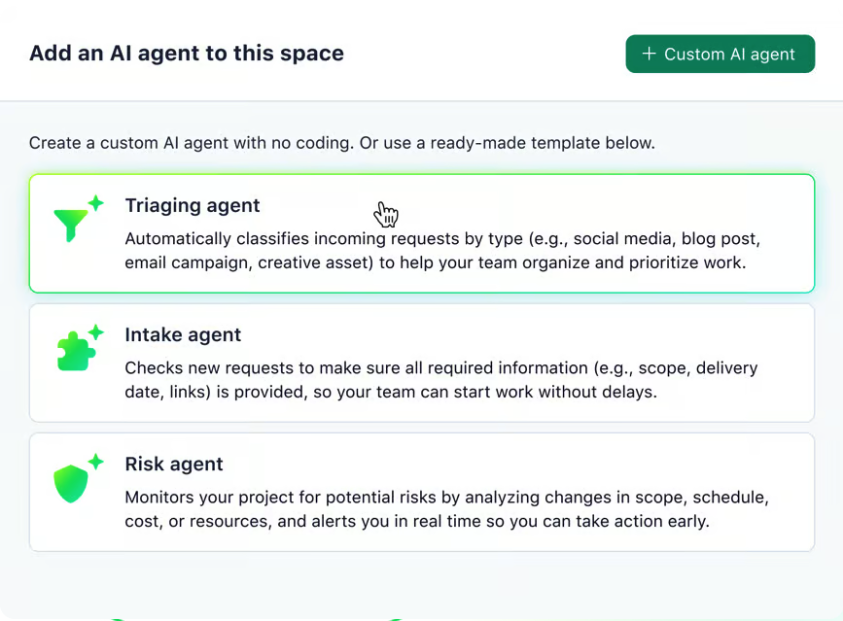
- AI agents can monitor risks in projects, and help with intake and triaging
- Automatic comment translation to support global collaboration
- No-code workflow automation to reduce repetitive manual work
- Real-time dashboards for monitoring project progress
- Centralized collaboration spaces for planning and idea sharing
Pricing
- Free plan with basic AI included
- Advanced AI is available on mid/high-tier paid plans starting at $10/user/month
- 14-day free trial with monthly AI action allowance
3. Backlog
Best for: Cross-functional teams that want robust reporting and project overviews
Backlog is an all-in-one solution for bug tracking and project management. Built for tech and non-tech teams alike, one of Backlog’s strengths is how user-friendly and easy to set up it is, avoiding the complexity that comes with other project management platforms, especially those that cater to technical teams.
Using Backlog’s AI Assistant, teams can pull project reports instantly, cutting manual reporting time in half. Add in task automation and instant project overviews, and it’s a total game-changer for teams wanting to cut back on busywork and speed up their workflow.
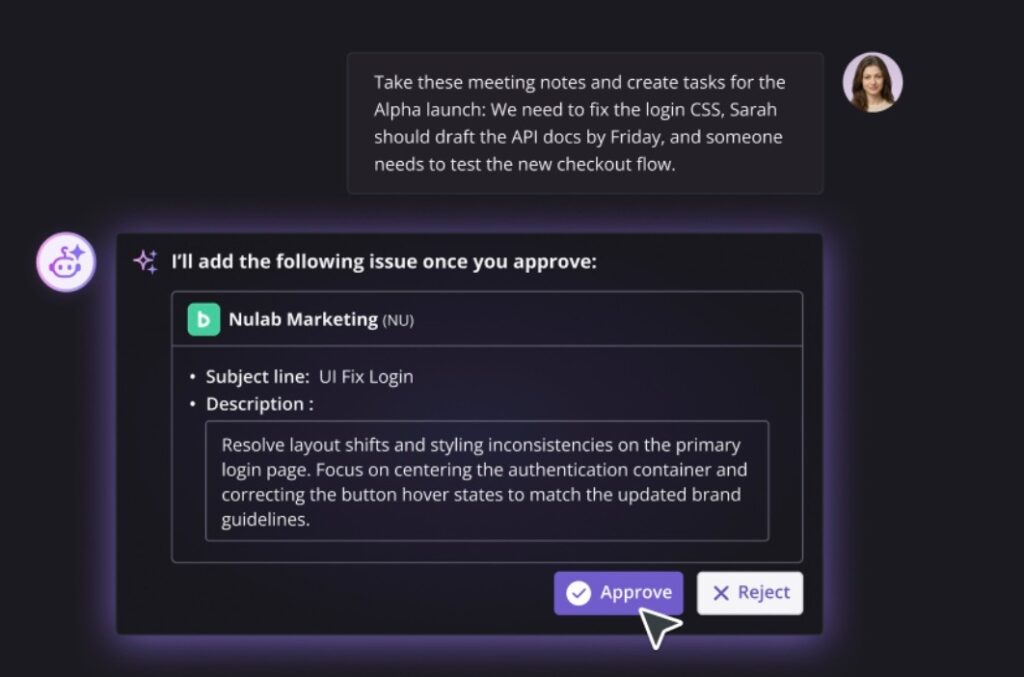
Teams can turn meeting notes and discussions into actionable tasks, give quick overviews of project status, and highlight risks or blockers before they become problems. It can also scan past issues to reuse solutions, draft documents directly within the platform, and tackle recurring tasks faster, helping keep projects on track without manual intervention.
Backlog also syncs seamlessly with its sister tool Cacoo, an online diagramming platform that makes it simple to connect visuals like workflows, wireframes, or system diagrams directly to project tasks.
Key features
- Instant overview: Get a quick project overview of current status, priorities, and changes
- Scan past issues: Find solutions faster by scanning past tickets for fixes
- Find bottlenecks: Surface risks and blockers early to avoid project delays
- Task creation: Create actionable tasks directly from notes and discussions
- Strong security: Human-in-the-Loop approval ensures AI actions are reviewed before execution.
Pricing
- Free plan available
- AI Assistant with unlimited users on Premium plan ($146 per month) and Enterprise plan
- Teams with higher usage can purchase additional credit packs
4. monday.com
Best for: Larger teams seeking a sleek interface and rich library of resources
One of the biggest benefits of using Monday.com is how visually pleasing and easy the platform feels from the start. On top of that, it offers a strong feature set, extensive templates and learning resources, and great collaboration options.
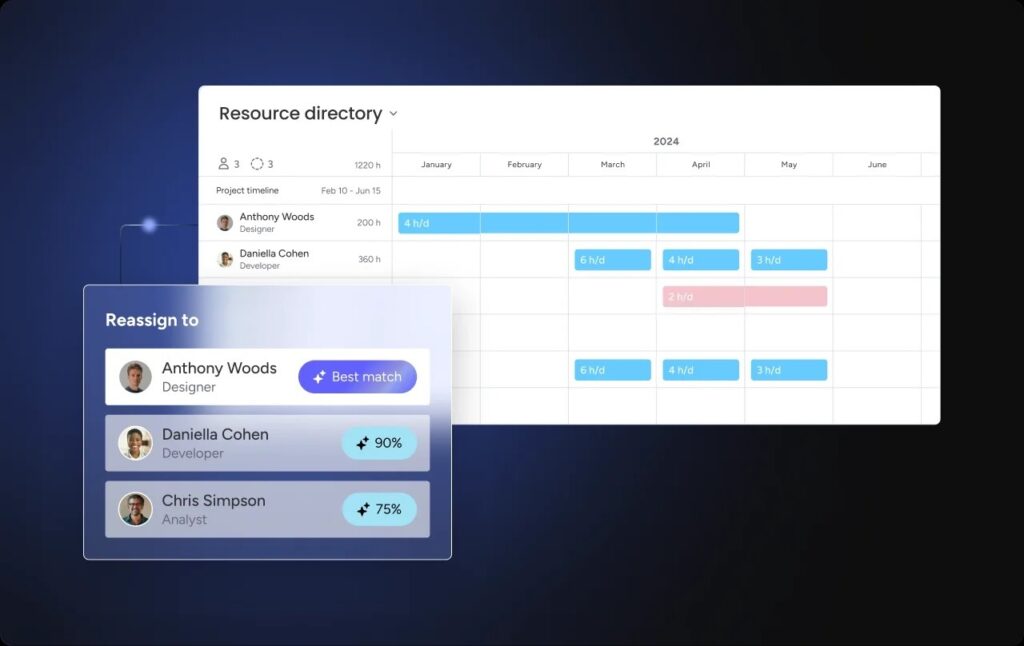
Monday.com’s AI tools can sort and categorize data, direct tasks to the appropriate team members, and identify action items from meeting notes. You can also create custom automations simply by describing what you want in plain language. It also includes sentiment detection, which can flag messages that sound urgent or require attention. This helps teams quickly spot potential issues and respond before they become bigger problems.
That said, the platform is not the perfect fit for everyone. The free and Basic plans are fairly limited, with stronger admin controls and security tools locked behind higher tiers. It also no longer includes built-in whiteboards, so teams that rely on visual brainstorming will need to use a separate tool. For businesses looking for a more robust entry-level plan or deeper real-time collaboration features, this could be a drawback.
Key features
- Smart task categorization automatically labels and prioritizes work based on urgency, project type, and assignment rules
- Generative AI writing tools help create project briefs, emails, and internal documentation faster
- AI recommendations analyze project activity and team workflows to suggest next steps and improvements
Pricing
- Free plan for up to 2 users — doesn’t include AI credits
- Paid plans with AI credits start at $9 per user per month
- Standard plan ($12 per user/month) includes AI Sidekick
- Pro plan ($19 per user/month) includes AI Sidekick
5. Asana
Best for: High-budget teams that want a visually pleasing tool with advanced security
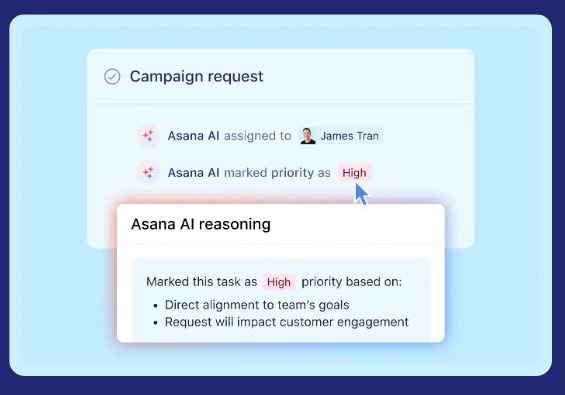
Asana is a visually clean, intuitive project management platform with robust security features. Its AI features cover everything you’d expect from a modern project platform — AI Teammates can handle complex tasks across any role, Smart Workflows and AI Studio automate recurring work without coding, Smart Assists surface insights and track progress, and AI Connectors turn ideas and conversations into coordinated tasks across your favorite apps.
The catch is that the most powerful security and admin tools are reserved for Enterprise and Enterprise+ plans, and customer support isn’t the strongest outside of those tiers. For teams with the budget to match, though, Asana combines a user-friendly interface, advanced security, and full-featured AI to keep projects organized and running smoothly.
Key features
- AI Teammates can handle complex tasks and support any role in your team
- AI Studio & Smart Workflows can automate recurring work with prebuilt or custom workflows, no coding needed
- Smart Assists can surface insights, track progress, and keep stakeholders updated
- AI Connectors can turn ideas and conversations into coordinated tasks across your favorite apps
Pricing
- Free plan available — without AI access
- Starter plan: $10.99 per user per month includes access to AI Studio Basic with 50k credits per month
- Advanced plan: $24.99 per user/per month includes 75K credits
6. Motion
Best for: AI-driven scheduling and smart task prioritization
Motion is an AI-driven productivity platform with an emphasis on planning, scheduling, and anything to do with calendars. Once you configure your schedule in the back end — which does take some time — Motion’s AI takes over, automatically building your day, adjusting for deadlines and priorities, breaking larger projects into tasks, and reshuffling when urgent items arise. Its scheduling capabilities are more advanced and intelligent than most other tools, making it the platform’s most impressive feature.
It can also break larger projects into smaller tasks, estimate how long each one will take, and automatically reshuffle your schedule if something more urgent comes up. Over time, the AI learns how you work and improves its scheduling suggestions, helping reduce the constant need to plan your day manually.
That said, Motion’s pricing may put it out of reach for many small businesses. It also lacks some features compared with platforms.
Key features
- AI calendar assistant: automatically organizes your schedule based on deadlines, priorities, and real-time availability.
- AI workflow builder: can turn standard operating procedures (SOPs) into workflows in seconds, helping teams reduce repetitive manual work.
- AI-powered business intelligence: provides predictions for project and milestone completion, along with dashboards that track overall progress.
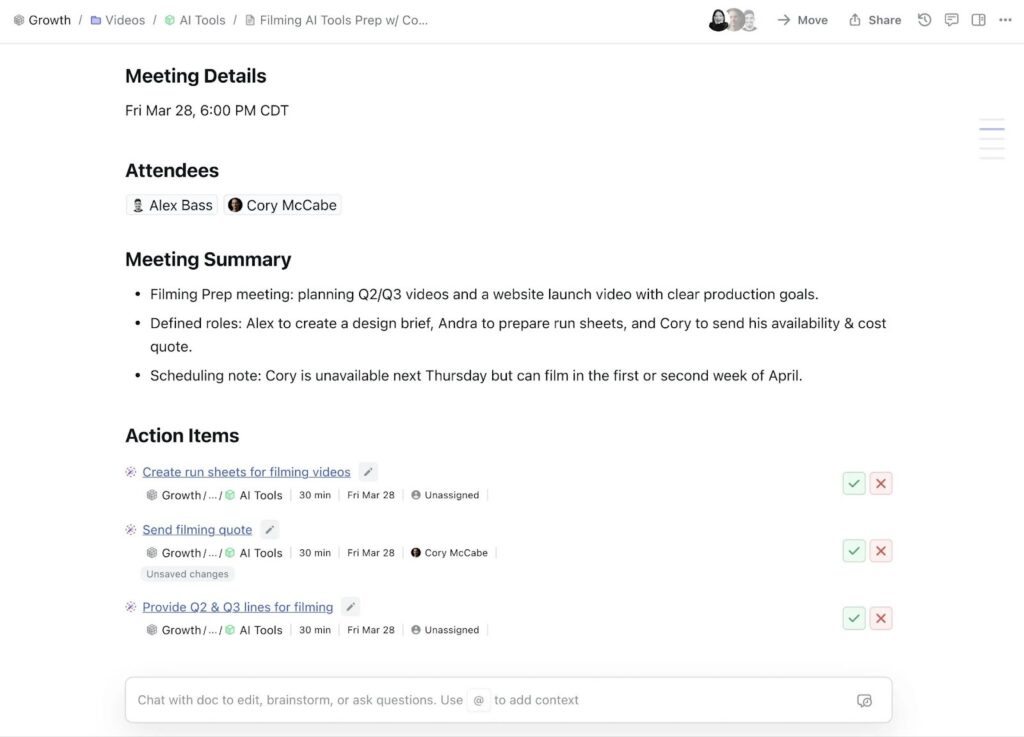
- AI meeting recorder: automatically joins your meetings (you just have to let it in), records video and text, and then uses AI to organize the notes for you.
Pricing
- 7-day free trial available
- Motion AI Studio is available starting at $250 per month
7. Notion
Best for: Small teams or creatives that want powerful note-taking features
Notion is an all-in-one workspace that started as a note-taking app. Using Notion, teams can store, organize, and collaborate on documents, databases, and tasks. The platform is very easy to use and customize, so teams can set it up exactly how they like without it getting too complicated.
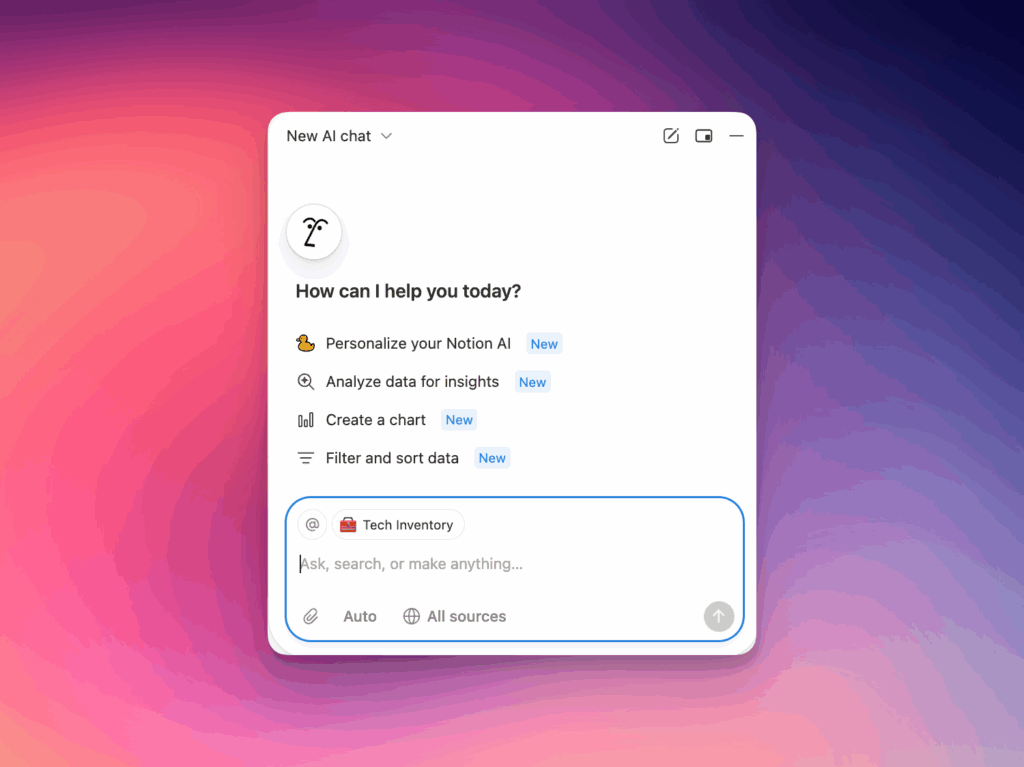
Notion’s AI assistant helps you stay on top of work by summarizing info, generating insights, and turning ideas into actionable tasks. You can even set up Custom Agents to handle things like monitoring Slack channels, triaging feedback, drafting reports, or managing recurring tasks.
The free plan includes plenty of features for solopreneurs, and pricing for paid plans is affordable. On the flip side, it lacks advanced project management features, and juggling multiple projects can get tedious, with limited security features compared to some other platforms.
Key features
- Custom Agents: fully customizable AI workflows for monitoring, ticketing, reporting, and more
- Slack integration: respond to questions and log answers automatically
- AI-powered drafting & summarization: turn docs, transcripts, and data into actionable tasks
- Workflow automation: plan events, triage alerts, and generate updates on autopilot
Pricing
- Free plan and Plus plan ($10 per seat/month) have Notion AI trial
- Business plan ($20 per user/month) and Enterprise plan includes Notion AI
8. Taskade
Best for: Lightweight project management and AI-generated to-do lists
Taskade is a strong choice if you’re looking for a lightweight, AI-powered project management platform that combines task tracking, real-time collaboration, and AI assistance in one place. It’s quicker to get started than many other tools, especially if your projects are more creative or loosely structured.
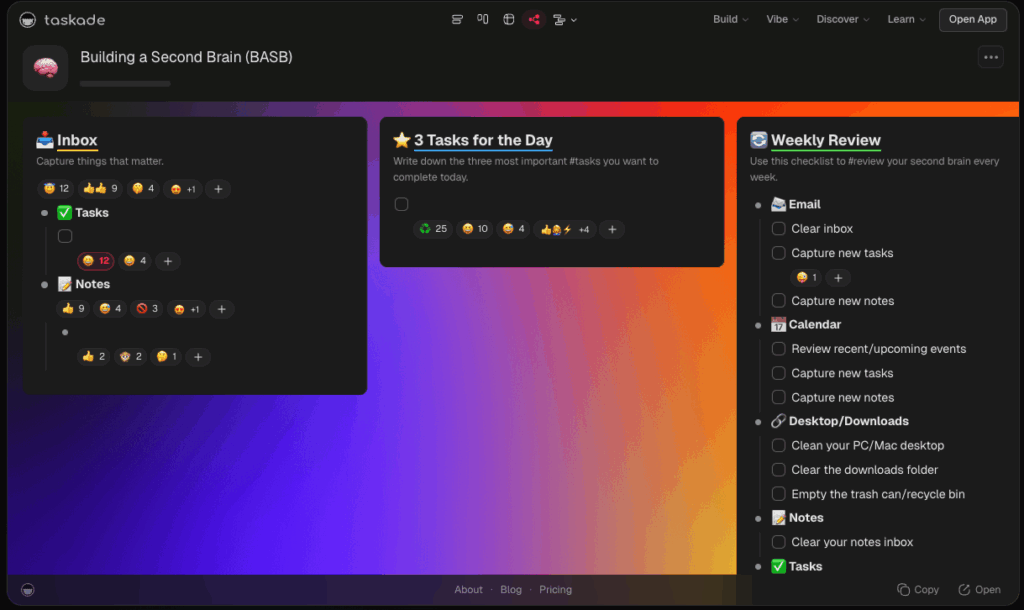
Its AI can convert notes into task lists, rewrite content for clarity, and assist in turning ideas into actionable tasks. One of its standout strengths is its library of AI To-Do list templates — from product launches to seasonal cleaning — that teams can use to generate helpful lists.
Taskade stands out for its speed and simplicity, but it doesn’t offer deep reporting, advanced permissions, or extensive customization. It’s best suited for small to mid-sized teams that prioritize flexibility and fast collaboration over complex workflows or Gantt-chart-heavy project management.
Key features
- AI to-do list generator: Automatically organize and schedule seasonal chores so your home stays clean year-round
- Flexible project views: quickly switch between list, board, mind map, org chart, and calendar views to adapt workflows.
- Templates: a library of prebuilt templates for meeting agendas, content calendars, and project plans.
- AI for quick formatting: convert rough notes into structured task lists or rewrite content for clarity.
Pricing
- Taskade AI is available across all plans, including the free plan
- Paid plans start at $6/month for 3 users
- Pro plan ($16 per month for 10 users) includes unlimited AI agents and automations
- Business plan ($40 per month for unlimited users) includes unlimited AI teams
Final thoughts
Choosing the right AI project management tool really comes down to your team’s needs. Some platforms excel at advanced reporting and highly customizable workflows, while others focus on easy onboarding, smart scheduling, or clean, visual interfaces. The best tool is the one that fits the way your team actually works — helping reduce task friction, improve collaboration, or make reporting quicker and simpler.
No matter which platform you go with, AI-powered features can take a lot of the busywork off your plate, keep everyone on the same page, and make managing projects smoother and more efficient.
About Author